
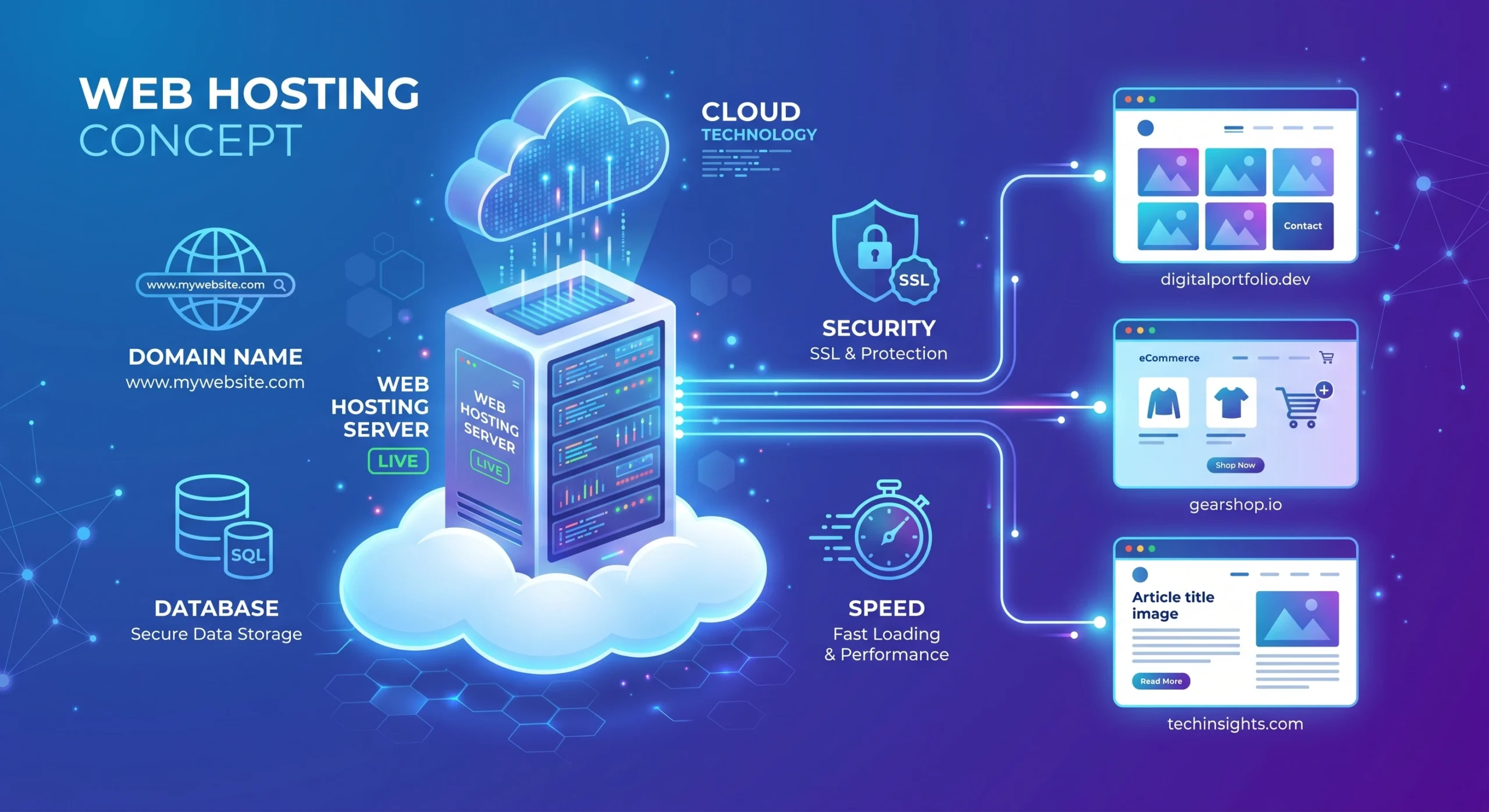
If you are planning to start a website, blog, or online business, one of the first things you will hear about is web hosting. But what exactly is web hosting, and why is it important? Don’t worry—this guide will explain everything clearly and easily.
If you are new to blogging, you can also read our complete guide “How to start a blog step by step” to understand the full process.
What is Web Hosting?
Web hosting is a service that allows you to store your website files on the internet so that people can visit your website anytime.
Think of it like this:
- Your website is like a house.
- Your domain name is the address of that house.
- And web hosting is the land where your house is built.
Without hosting, your website cannot be seen online.
When someone types your website address into a browser, the hosting server sends your website files (like text, images, and videos) to their screen.
How Does Web Hosting Work?
Web hosting companies provide powerful computers called servers. These servers are always connected to the internet.
Here’s how it works step by step:
- You create a website (using WordPress or other tools).
- You upload your website files to a hosting server.
- A visitor types your domain name into their browser.
- The browser connects to the hosting server.
- The server sends your website data to the visitor.
This process happens in just a few seconds.
Types of Web Hosting
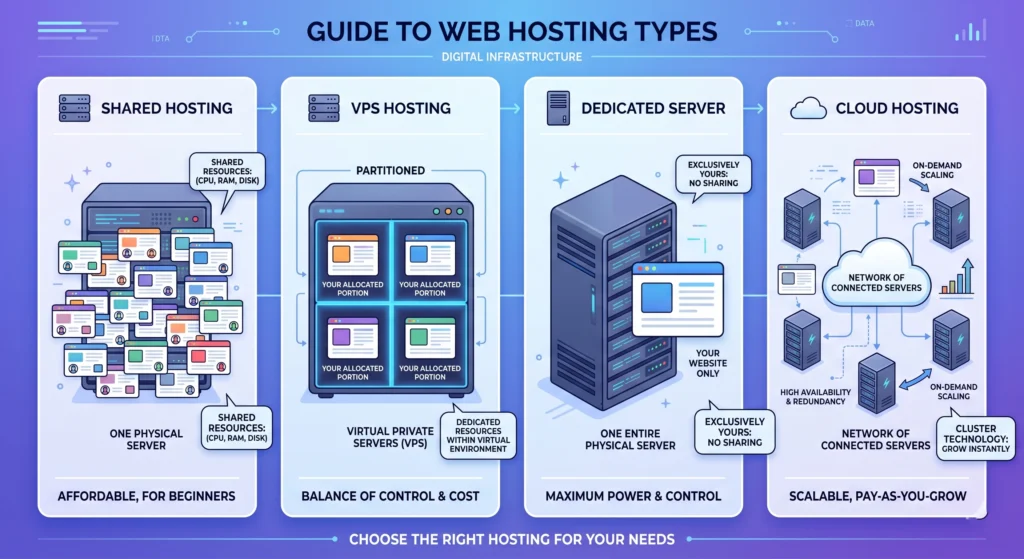
There are different types of web hosting. Choosing the right one depends on your needs and budget.
1. Shared Hosting
This is the most common and beginner-friendly option.
- Many websites share the same server
- Low cost
- Easy to use
- Best for small blogs and beginners
Pros:
- Affordable
- No technical skills needed
Cons:
- Slower performance if traffic grows
- Limited control
2. VPS Hosting (Virtual Private Server)
VPS hosting is a step above shared hosting.
- A server is divided into multiple virtual parts
- You get more control and better performance
Pros:
- More power and flexibility
- Better speed than shared hosting
Cons:
- Slightly expensive
- Needs basic technical knowledge
3. Dedicated Hosting
In this type of hosting, you receive an entire server dedicated solely to your website.
Pros:
- Maximum performance
- Full control
Cons:
- Expensive
- Requires technical skills
4. Cloud Hosting
Cloud hosting uses multiple servers instead of just one.
Pros:
- High reliability
- Scalable (you can increase resources anytime)
Cons:
- Pricing can vary
- Slightly complex for beginners
5. Managed WordPress Hosting
This hosting is specially designed for WordPress websites.
Pros:
- Optimized performance
- Automatic updates and backups
Cons:
- Higher cost
- Limited customization
Key Features of Web Hosting
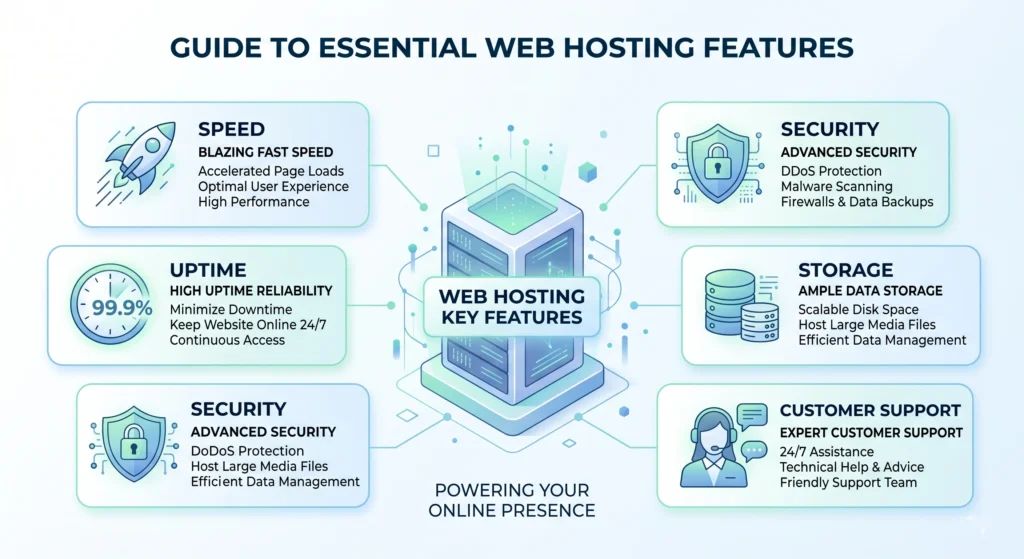
When choosing a hosting provider, you should look at some important features.
1. Storage (Disk Space)
This is where your website files are stored.
2. Bandwidth
This determines how much traffic your website can handle.
3. Uptime
Uptime shows how often your website stays online. Good hosting offers 99.9% uptime.
4. Speed
Fast-loading websites improve user experience and SEO.
5. Security
Good hosting includes:
- SSL certificate
- Malware protection
- Regular backups
6. Customer Support
24/7 support is very important, especially for beginners.
Why is Web Hosting Important?
Web hosting is essential for any website. Here’s why:
1. Makes Your Website Accessible
Without hosting, your website cannot go online.
2. Improves Website Speed
A good hosting provider ensures fast loading times.
You can test your website speed using tools like Google PageSpeed Insights.
3. Keeps Your Website Secure
Hosting companies provide tools to protect your site.
4. Supports Business Growth
As your traffic grows, you can upgrade your hosting plan.
How to Choose the Right Web Hosting
Choosing the right hosting can be confusing. Here are some simple tips:
1. Know Your Needs
- Blog → Shared hosting
- Business website → VPS or Cloud
- Large website → Dedicated hosting
2. Check Your Budget
Start with a plan you can afford, then upgrade later.
3. Look for Easy Setup
Choose a hosting service with one-click WordPress installation.
4. Read Reviews
Check user reviews before buying.
5. Check Support System
Make sure they offer live chat or quick support.
You may also compare different providers in our article on the “Best web hosting services for beginners” before making a decision.
Web Hosting vs Domain Name
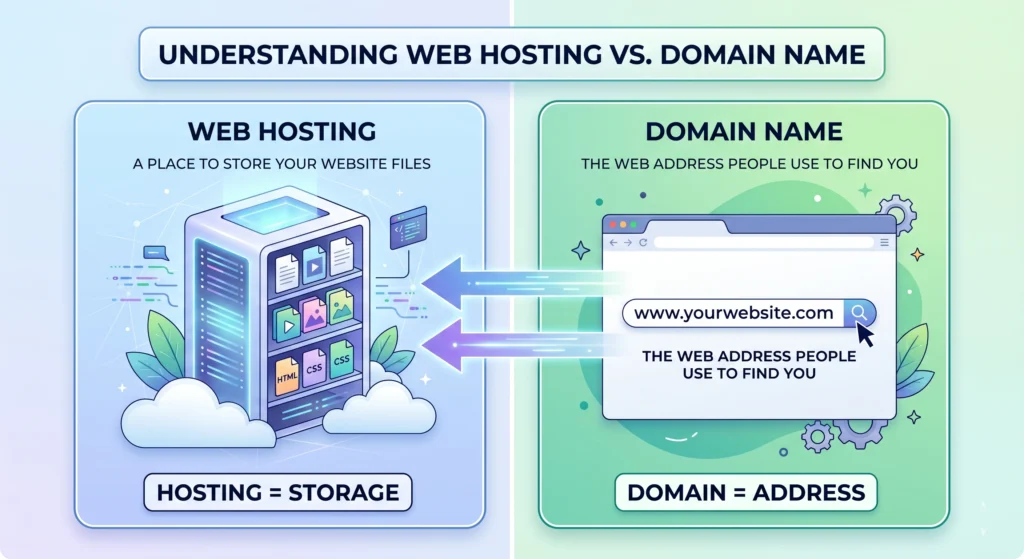
Many beginners get confused between these two.
| Feature | Web Hosting | Domain Name |
| Purpose | Stores website files | Website address |
| Example | Server space | www.yoursite.com |
| Required | Yes | Yes |
Both are needed to run a website.
Common Mistakes to Avoid
Here are some common mistakes beginners make:
- Choosing the cheapest hosting without checking the quality
- Ignoring customer support
- Not checking the uptime guarantee
- Buying unnecessarily expensive plans at the start
Start simple, then upgrade when needed.
Who Needs Web Hosting?
Web hosting is useful for many people:
- Bloggers
- Small business owners
- Freelancers
- E-commerce store owners
- Portfolio creators
If you want an online presence, you need hosting.
🚀 Ready to Launch Your Website?
Start your journey with fast, secure, and beginner-friendly hosting. Get everything you need — free domain, SSL, and one-click WordPress setup.
👉 Start Your Website Today with Hostinger
Final Thoughts (Conclusion)
Web hosting is the foundation of every website. It allows your website to be available online and accessible to people worldwide. Without hosting, your website cannot exist on the internet.
For beginners, shared hosting is a great place to start because it is affordable and easy to use. As your website grows, you can upgrade to VPS, cloud, or dedicated hosting for better performance.
The key is to choose a reliable hosting provider that offers good speed, strong security, and helpful customer support. This will ensure your website runs smoothly and provides a great experience for your visitors.
If you are planning to start your website today, understanding web hosting is the first step toward your online success. Take your time, choose wisely, and build something amazing.
FAQ
1. What is web hosting?
Web hosting is a service that allows individuals and businesses to make their websites accessible on the internet. It provides server space for your website files.
2. Why do I need web hosting?
You need web hosting to ensure your website can be viewed online. Without hosting, your website files would not be stored on a server, making it impossible for visitors to access your site.
3. How do I choose the right web hosting provider?
Choose a web hosting provider based on factors like reliability, speed, customer support, pricing, and the specific features you need, such as bandwidth and storage.
4. What are the different types of web hosting?
The main types of web hosting include shared hosting, VPS (Virtual Private Server) hosting, dedicated hosting, and cloud hosting. Each type varies in terms of performance, security, and cost.
5. What is shared hosting?
Shared hosting is when multiple websites share the same server resources. It’s cost-effective and ideal for beginners or small websites, but it may have performance limitations.
6. What is a domain name?
A domain name is the web address of your site (e.g., www.yoursite.com). You need a domain name to direct visitors to your web hosting server.
7. Can I switch web hosting providers later?
Yes, you can switch web hosting providers. However, it may involve transferring your website files and domain name, so it’s best to plan the process carefully.
8. Do I need technical skills to set up web hosting?
Many web hosting providers offer easy-to-use dashboards and one-click installers, making it possible for beginners to set up hosting without technical skills.
9. What is SSL, and do I need it?
SSL (Secure Sockets Layer) is a standard security technology that encrypts data between the user and the server. Having SSL is important for securing your site, especially if you collect sensitive information.
10. How much does web hosting cost?
Costs vary widely depending on the hosting type and provider. Shared hosting can start at a few dollars per month, while dedicated hosting can be more expensive.
11. What is uptime, and why is it important?
Uptime refers to the time your website is operational and accessible. A high uptime percentage (99.9% or higher) is important to ensure your visitors can access your site whenever they want.
12. Can I host my website for free?
Yes, there are free web hosting options, but they often come with limitations such as ads, limited storage, and limited support. For a professional site, it’s usually better to invest in a paid hosting plan.