
Choosing the right design tool can be difficult, especially when both platforms offer useful features for creating professional graphics. If you’re a beginner, marketer, or business owner, you might be wondering whether to choose Canva or Snappa. Both have their unique strengths, so let’s take a quick look at design quality, ease of use, and overall value!
Choosing the wrong platform can slow down your creativity and reduce your productivity. In this guide, we will compare Canva vs Snappa clearly, so you can understand their features, strengths, and which tool is the best choice for professional design projects.
Canva vs Snappa
When comparing Canva vs Snappa, which is better for professionalizing your design? To help you decide whether Canva or Snappa is the right choice for your project, take a look at an in-depth comparison of both tools’ features.
We will discuss their respective user interfaces, the range of customization tools and assets they offer, and their pricing points. Compare Canva vs Snappa to discover the best design tool for professional graphics, features, ease of use, and creativity.
Overview of Canva and Snappa
Canva and Snappa are two popular graphic design tools that offer a range of features and tools to help you create stunning visual media. Both products have easy-to-use interfaces, templates, and many editing options. These features help you create professional content quickly. Although both platforms have unique features that cater to different types of users, both can be used for many of the same design purposes.
Canva is a versatile graphic design platform available online. It enables you to create sophisticated visuals or complex graphical layouts from templates or scratch using its drag-and-drop editor.
It offers a diverse library of stock photos, icons, frames, and font styles, as well as power tools such as cropping, resizing, layering, and animation.
To learn more about the capabilities of Canva Design, read the comparison between Canva vs Envato.
Snappa is a powerful graphic design platform online, built with the non-designer in mind. The drag-and-drop interface allows you to create great designs, even without prior experience.
Snappa is adored by thousands of marketers, business owners, and non-designers worldwide.
You can access the library of over one million photos and thousands of pre-made templates, all royalty-free! Snappa also includes features such as one-click social media formats, resize capabilities, and automatic versioning.
Comparison between Canva and Snappa
When it comes to professionalizing your design, Canva and Snappa are two popular design tools. Both offer big features that can help take your design to the next level. But is one better than the other?
Ease of Use
Both Canva and Snappa are incredibly easy to use for people of all design skill levels. Each platform allows you to drag and drop objects, shapes, visuals, and images into your project, combining simplicity and speed. However, Canva is the clear winner when it comes to availability – it can be used on leading operating systems: Mac OS, Windows, and Linux. Snappa is only available on Windows and Mac OS.
When it comes to actual work in either program, they are straightforward. With Canva, you can resize elements and drag designs around the page easily, all with simple clicks of a mouse or trackpad. There is no complicated learning curve here, as the platform provides basic tutorials on ‘how to use the software correctly without getting lost in a sea of options.
Snappa is easy to use for creating designs. Users can quickly place objects in their projects. However, it is a bit more complicated for beginners because of its three-panel layout, which some might find confusing. For more experienced designers, Snappa offers shortcut keys that help make editing faster. In this way, Snappa is easier to use than Canva for expert users.
Overall, both programs offer distinct advantages for users. There is no clear winner between them. Just like employers have different needs for similar job positions, you should determine which platform meets your specific requirements before making a long-term commitment.
Design Quality
Canva and Snappa are two popular online graphic design tools for creating stunning visuals. While both platforms aim to make complex professional designs more comfortable and accessible for users, each offers different levels of design quality and customization capabilities.
Canva is generally well-known for providing a wide range of high-fidelity pre-made designs that can be quickly customized with its drag-and-drop editor. With Canva, even novice designers can create visually appealing graphics without expert knowledge or experience. Canva templates offer a wide range of aspect ratios for various industry-specific designs, including invitations, logos, business cards, resumes, pamphlets, and more.
Snappa offers a slightly different approach than its rival. Snappa offers a large library of templates mainly for social media marketing. You can find designs for Facebook cover photos, Twitter headers, and YouTube thumbnails.
The tool has thousands of ready-made designs. It also includes advanced features, like text effects and background animations, that allow users to create more sophisticated visuals quickly and easily.
Features of Canva and Snappa
When it comes to professionalizing your design, two of the most popular graphic design software solutions are Canva and Snappa. Both Canva and Snappa have a range of features, including easy templates and customizable designs. So, which one is better for you? Let’s compare the key features of both tools to determine which one meets your needs best.
Canva Features:
Canva is an online graphic design tool. It offers many features to help you create professional designs.
Its Features include:
–Offer options: This tool offers two options: the Pro and Free versions
–Canva Design Tool is available for free as a desktop app for Windows, Mac OS, iOS, and Android. Download now.
–User-friendly interface: With a well-crafted interface, you can have an enjoyable experience regardless of what kind of device you are using
–Design Tools: Canva is a superb tool for creating professional designs quickly and easily.
–Templates: There are many benefits to using a professionally designed library of templates to professionalize your design.
–Text and Graphics: It has a wide range of features, such as text, shapes, graphs, and icons. All the components come in free and paid versions.
–Layouts and Backgrounds: You can remove your image background with one click.
–Publishing: With this feature, you can easily create and publish high-quality images, videos, and presentations for massive platforms, such as social media and email marketing.
–Drag-and-drop editing: quickly create designs from scratch or customize thousands of templates using their easy drag-and-drop editing tools
–Free photo library: access hundreds of free stock photos and illustrations to use in your designs
–Presentation maker: make engaging presentations with Canvas animation and video features
–Export Options: Canva allows you to export files in various formats to share with others or use for print, like JPG, PNG, PDF, SVG, and more.
–Integrations: easily integrate with other popular business applications, including Google Drive, Dropbox, Adobe Creative Cloud, MailChimp, Trello, Slack, Microsoft Teams, etc.
Snappa Features:
Snappa is an easy-to-use graphic design tool that lets you create beautiful designs with just a click. You can customize it to fit your needs. Whether you are looking to craft stunning visuals for social media, blogs, websites, or print materials, Snappa has something for everyone.
Features Included:
–Articles: The articles on the Snappa Blog will provide tips and tricks to help you quickly and easily create unique visual content.
–Template library: Access their vast template library with stunning visuals across 30 categories like ads & banners, social media posts, etc.
–Design editor: Quickly customize existing templates with the simple drag & drop design editor tool (featuring shapes &walls modules)
–Ability to upload images: With Snappa, uploading your images while designing is a breeze! Effortlessly integrate your visuals and take your creative projects to the next level.
–Advanced filters & effects: Instantly apply prebuilt effects to projects such as shades, color overlays, etc.
–Shared projects: maintain consistency by allowing team members to access projects from one account
–Resize images: Snappa provides a Resize feature that easily allows you to adjust the dimensions of an image.
–Add text, shapes, and graphics: Users can easily customize their text content by changing the font size, style, color palette, letter spacing, and more.
–Share designs on social media: With just one click, you can share entire design projects, including workspaces and images, with your followers.
Pros and Cons of Canva vs Snappa
When choosing between two tools, it is important to weigh the advantages and disadvantages of each.
Canva Pros and cons:
Pros:
-It is easy to learn and use – no need for prior design experience.
-Has a large selection of templates that help you create high-quality visuals quickly and easily.
-Provides a wide range of design options, so you can customize your visuals without sacrificing quality.
-Affordable and comprehensive plans available.
-Offers an online saving feature that enables quick storage and management of your designs in the cloud.
Cons:
-Limited design flexibility due to pre-made templates and limited layout options.
-Some features can be expensive add-ons if they’re not included in your plan.
Snappa Pros and cons
Pros:
-A powerful graphic design engine that makes it easy to create stunning visuals from scratch or its library of templates, images, stickers, icons, etc.
-Plenty of customization options for professional designs, including size adjustment, custom fonts, color palettes, etc.
-Ability to save all graphics as template presets for future use
-Can save images directly onto your computer or an account such as Dropbox or Google Drive, Etc.
Cons:
-Can be challenging for those without prior graphic design experience since it requires an understanding of illustrative design principles such as composition, color theory, etc.
-The free version does not allow access to all its features without a paid subscription plan ($10/month).
Customer Support
When speaking to customer support, both Canva and Snappa offer ways for users to get help with the design process.
Canva offers customer support for users. You can find helpful articles in their knowledge base and get assistance by email or live chat, available 24/7. Additionally, they offer a forum-style Support Center where users can post their questions and get answers from other Canva users and their team of experts.
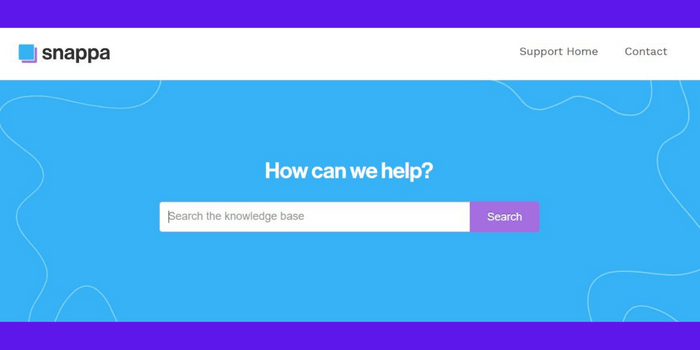
Snappa provides a customer support section with answers to frequently asked questions and tutorial videos. They also offer a forum website where members can ask and answer each other’s questions. They have an active customer support team that offers 24/7 support via email or chat. Both services boast prompt replies from their respective support teams, so users can be assisted quickly and efficiently when issues arise.
Comparison of Pricing
When comparing Canva vs Snappa pricing, Canva is more affordable. Canva offers plans ranging from $6.49 to $8.49 per month, whereas Snappa offers three schemes ranging from $10 to $20 per month.
Canva Pricing
Canva Pricing: Canva’s most popular package is its Pro subscription, priced at $6.49/month or $54.99/year (prepaid) for a person. Canva is 100% free for primary and secondary teachers and their students.
This gives you access to various premium features, including:
-Unlimited Storage
-Team Library & Brand Kit
-Detailed Analytics & Insights
-Logo Design Studio
-Social Templates and layouts and Access to over 500k premium photos & images with new content added weekly.
For detailed information on their plans and features, you can check out the Canva Pricing page
Snappa Pricing
Snappa Pricing: Snappa’s most popular plan is its Pro subscription, priced at $10/month or $120/year for a person (prepaid). You are granted access to many features, including:
-Unlimited storage for design assets
-Bulk image upload of up to 1000 images
-Social media template library for all major platforms
– Optimization for web-resolution images and a 500 MB/Month bandwidth limit
By looking at these comparison options! Canva offers more value than Snappa, with a feature-rich Pro plan that is also less expensive.
If you want to learn more about their plans and features, feel free to hop over to the Snappa Pricing page!
Conclusion
When comparing Canva vs Snappa, the best choice depends on your design needs and experience level. Canva is a powerful all-in-one platform with advanced features, templates, and collaboration tools, making it ideal for a wide range of design projects. Snappa, on the other hand, is simpler and faster for creating quick graphics and social media content.
Both tools are beginner-friendly and useful, but selecting the right one can improve your workflow and design quality. By understanding the differences between Canva vs Snappa, you can choose the platform that helps you create professional designs more efficiently.
Here’s another post discussing the 5 most successful online graphic design software programs to professionalize your design. Let’s see what benefits they offer.